Bigger buttons and clear text
A straightforward home screen with larger tap targets and easy-to-read labels.
Home Screen Captain turns a busy Android home screen into a cleaner, easier-to-read space with bigger buttons, clear text, helpful shortcuts, and simple personalization.
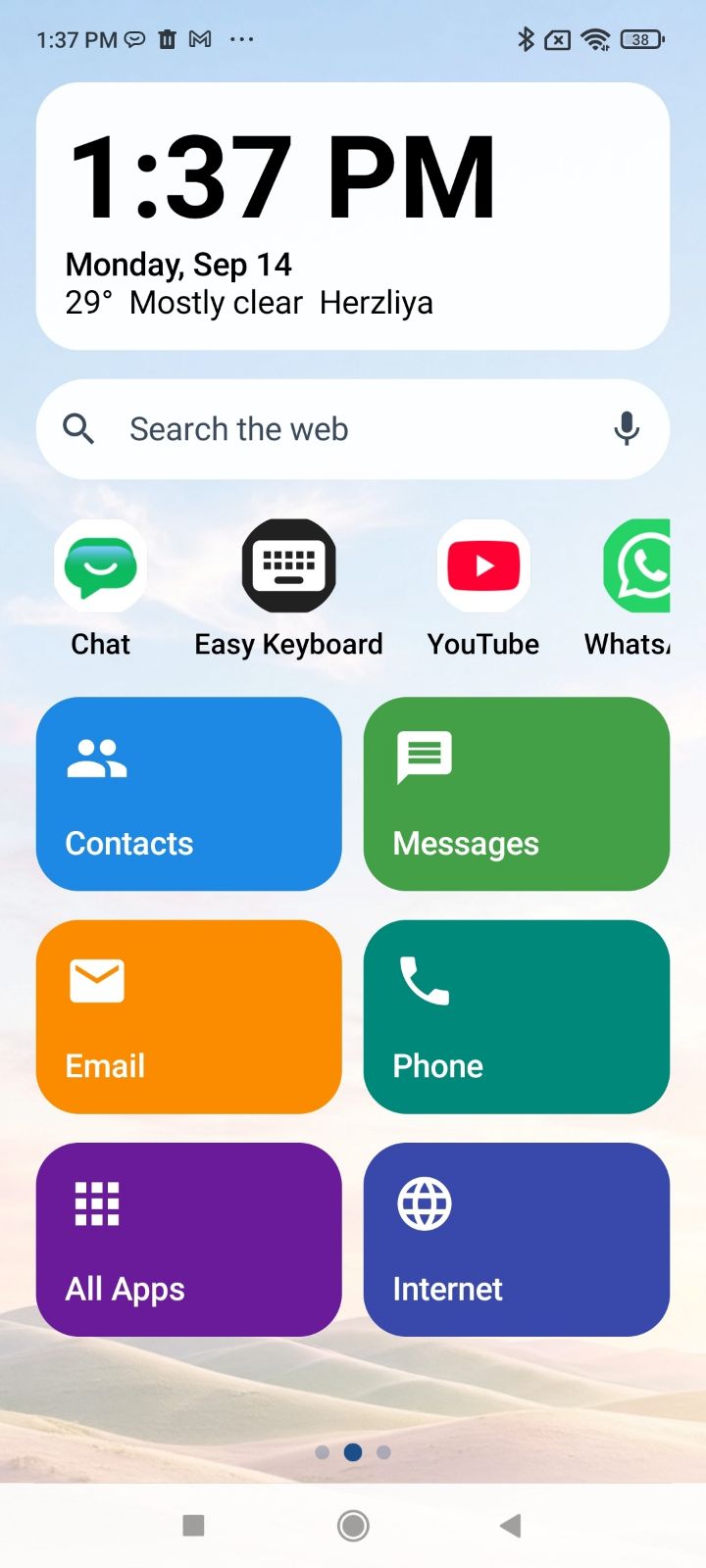
Keep everyday apps and tools easy to reach while giving your home screen more room to breathe.
Large tiles and familiar labels help make everyday navigation straightforward. Keep the apps that matter visible and make the rest easier to find when needed.
Home Screen Captain keeps the experience familiar while making common actions feel more direct.
A straightforward home screen with larger tap targets and easy-to-read labels.
Use the built-in search bar and keep useful apps and tools close at hand.
Switch to the optional custom keyboard with larger keys whenever you want an easier typing experience.
Choose the look, tools, and layout that feel right for everyday use.
Choose fonts, themes, icons, widgets, and the apps that stay front and center.
Home Screen Captain includes an optional custom keyboard with larger keys that can be enabled as an alternative to the device's standard keyboard.
Keep the apps, tools, and information that matter within easy reach with a cleaner, more personal Android home screen.
Download on Google Play